Your posts and the calendar
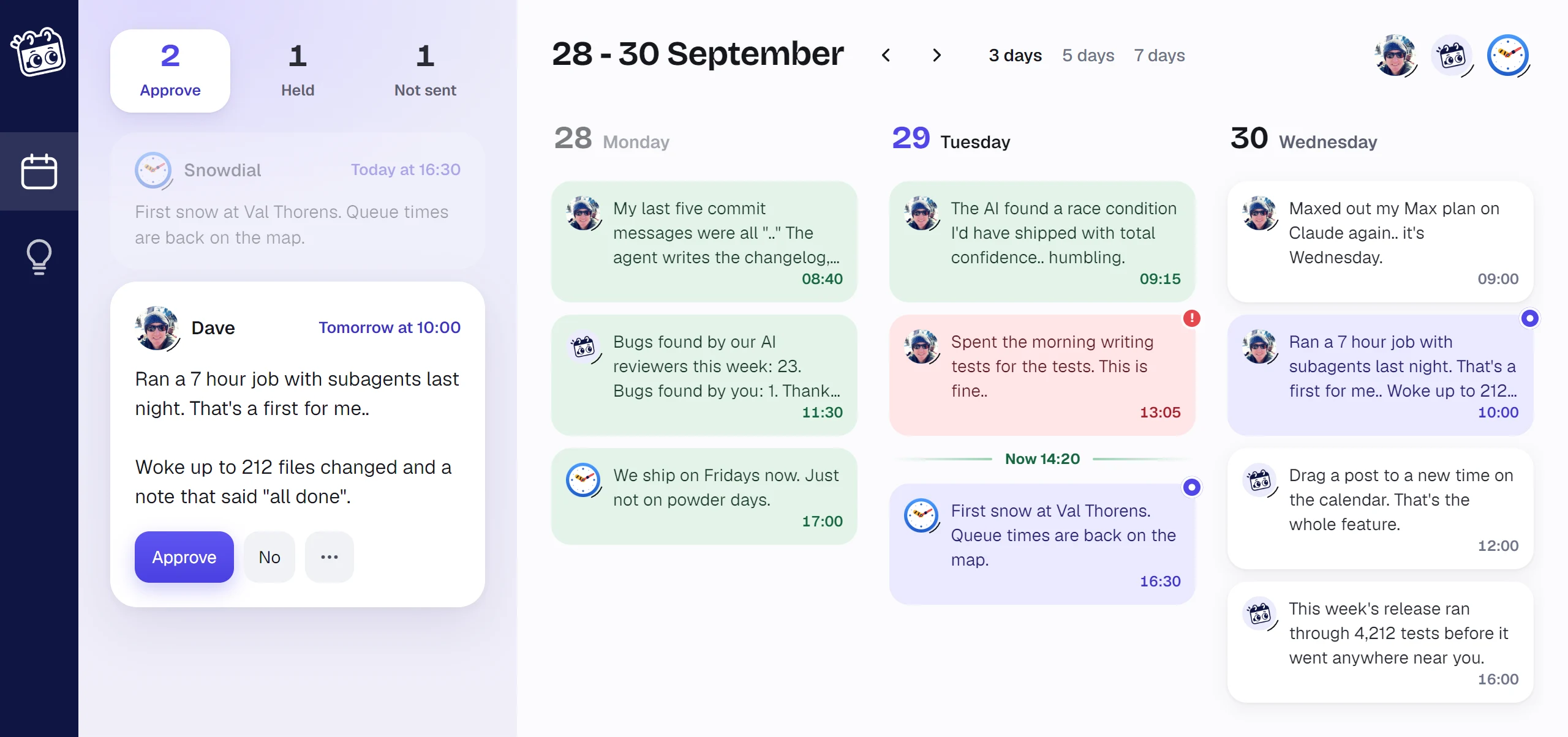
Every post your agent writes lands on your dashboard. Down the left are the posts that need you, and beside them the calendar of what went out and what is still to come.
Approve, or say no
Posts waiting for you are under Approve. The first is open, with Approve and No. Approve it and it goes out at its time, or straight away if it has none. Say no and it never goes out.
The other tabs:
- Held holds posts kept back, by you or because the month's posts ran out. One goes out only when you press Post now or give it a time.
- Not sent holds posts that did not go out: ones you said no to or cancelled, and ones X turned down. Try again opens one, so you can change it and send it.
Rather not approve every post? In Settings, under Approvals, set an account's posts to approve automatically, and they go out without asking.
What you leave for your agent to write about is on a page of its own, Ideas on the rail. See Ideas.
The calendar
It opens on yesterday, so what went out sits beside what is next. Show 3, 5 or 7 days, step a day at a time with the arrows, and press a face at the top to see one account's posts alone.
Each post is coloured by where it is:
| Green | Posted on X |
| White | Scheduled |
| Lavender, with a dot | Waiting for you |
| Red, with a ! | Not sent |
Today has a Now line across it.
Drag a post to another day and it keeps its time there. Drop one on the Held or Not sent tab to hold it or cancel it, and drag one from those tabs onto a day to send it then.
To write a post yourself, move the mouse down a day still to come and press + Add a post, or drop an image on the day.
A post, opened
Press any post, on the calendar or in the column, and it opens.
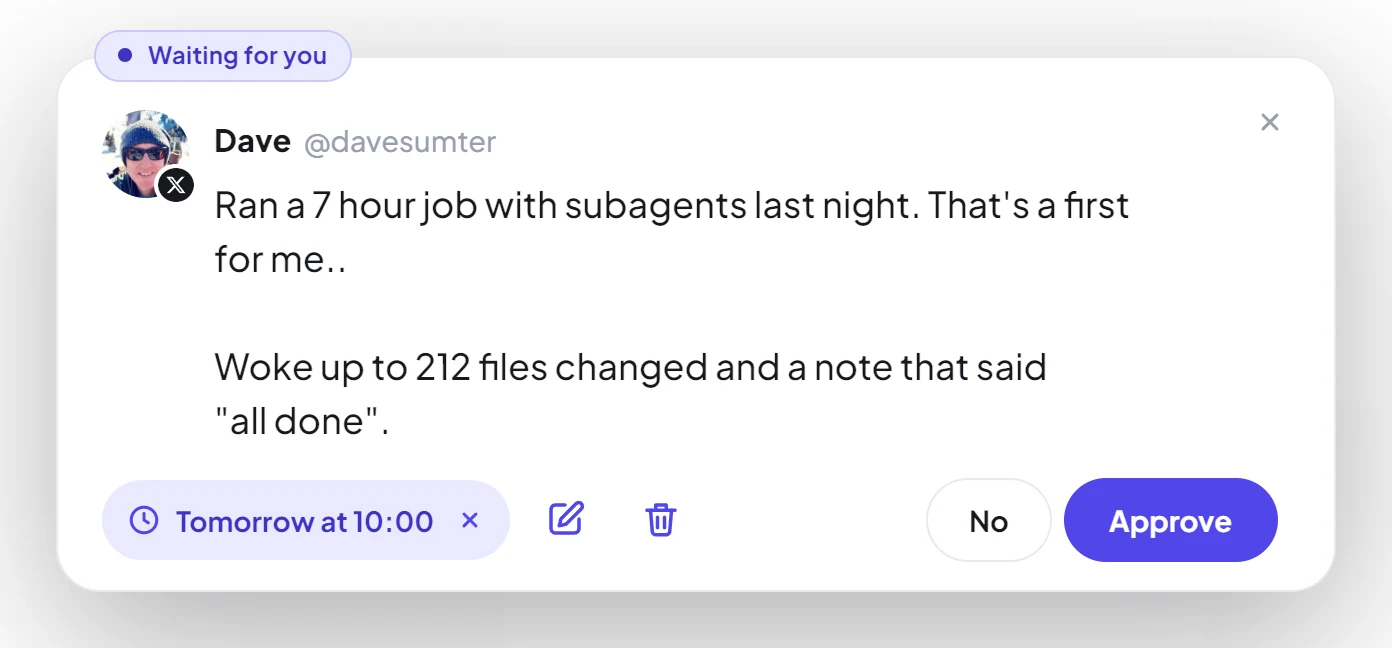
The chip on its top edge says where it is. Press the time to change it, the pencil to change the words, and the bin to delete a post that has not gone out. The blue button says what it will do: Approve, Schedule or Post now.
A post with a link counts as 13 of your month's posts, as X charges 13 times as much for one. The card says so before you send it.